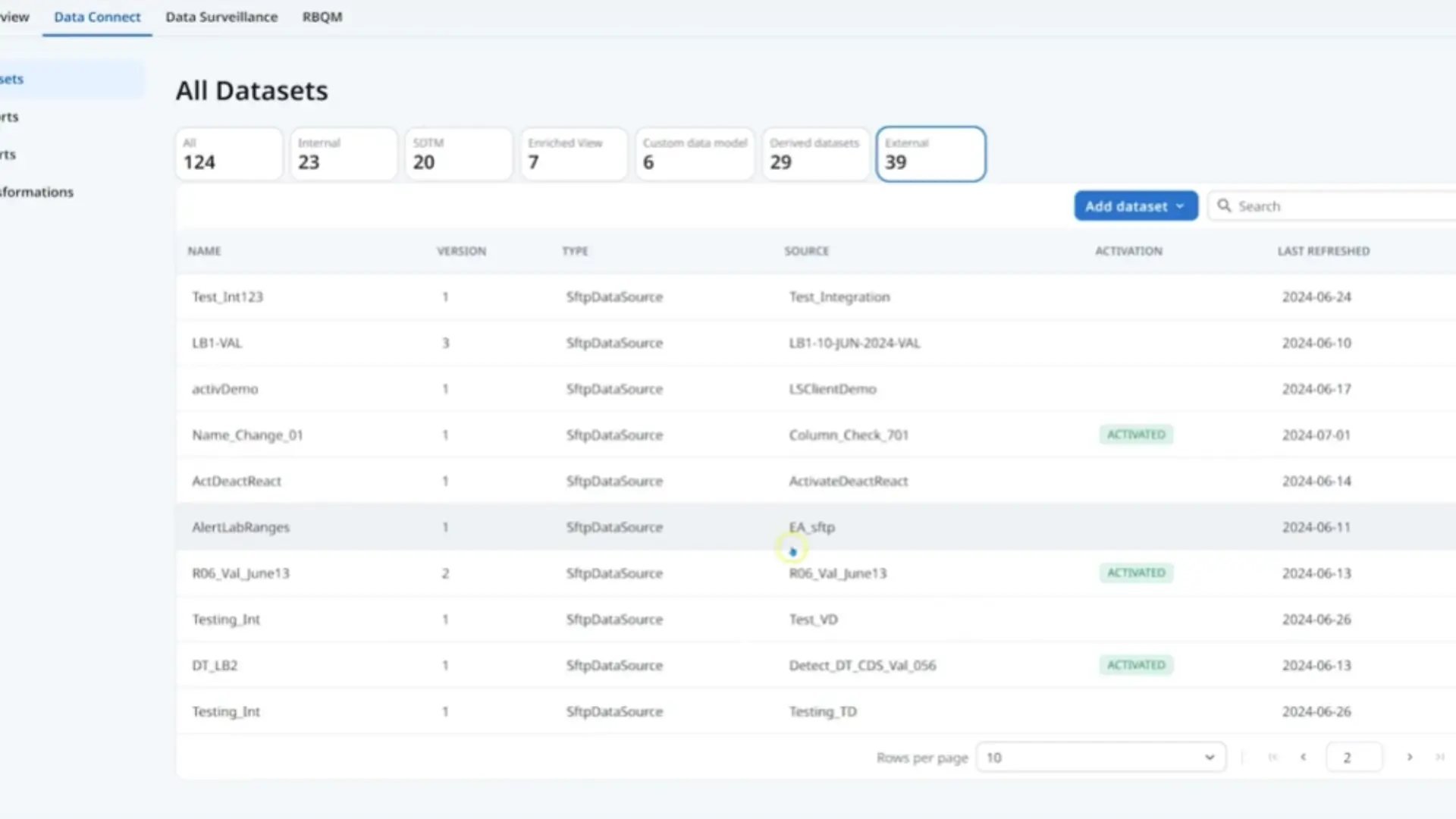
Video transcript: Medidata Clinical Data Studio is a transformative AI powered data quality management experience created for study teams to work as one. Multi source data is integrated, transformed and analyzed to shorten timelines, reduce risks and ensure patient safety. In this demonstration you'll see how non Medidata sourced data can be ingested and validated, how data can be standardized, and how your clinical programmers can create new data sets combining Medidata and non Medidata sourced data, all in a no low code environment that reduces technical burden and speeds up data availability for review and analysis. As a clinical programmer, I can log in and access all of my data. This is where I can navigate to ingest or import my non Medidata data sources. Here I can see all of my different data sets from a particular vendor or data source, and all the versions of the imported data. I can easily define the data transfer agreement for an imported data set. Here I have a partially imported data set where some of the data doesn't comply with the data transfer agreement. I can configure the expected data type for each column and select which fields are the data's identifying keys. This enables the system to provide real time validation checks on imported data to ensure it is in the correct format. I can see here that I have imported data that has some values that don't match the expected data types. And I also see I have some missing data, as it's been automatically flagged to me. Here I can see I have data sets from RAVE EDC that flow automatically into Clinical Data Studio. I also see all of the different non Medidata sourced data sets that have been ingested and any derived data sets that I've created. More on that later. Let's look at the AlertLab ranges data set that I just imported. I can preview this data set directly and ensure that it meets my needs, before activating it for downstream activities such as data review, risk management and safety review. I can see which data sets are activated here. Once different sources are brought into Clinical Data Studio, clinical programmers can explore, standardize, and transform data in a no low code experience for further downstream analysis or submission. Let's see how I can standardize data and create derived datasets. I can perform unit conversion directly within the system instead of having to do this externally in an Excel file or using SAS programming. Clinical Data Studio helps automate unit conversions by providing a library of thousands of SI units, analytes, and conversion factors. I can also see my unit conversion updates in real time. Clinical Data Studio remembers the conversions so that new imports from the same data source are automatically converted. So now I have datasets from Medidata and non Medidata sources that have been standardized. As you've seen just now, these can be directly activated for downstream use. However, you probably won't want to use the datasets in isolation. Instead, you can combine data from multiple sources to enable your data managers, central monitors, and medical monitors to get a comprehensive view of patient data quality and safety. Clinical Data Studio enables the creation of derived dataset, again in a no low code experience. On the left I have access to all of my data sets, whether metadata or non metadata source. On the right is an example of a data set derived from combining two data sets. The alert lab ranges I previously imported and data imported from a central lab. I don't need to use a programming language to do this. I can simply drag and drop the data sets onto the canvas and then select the operators such as join, union, and pivot, and then specify the matching conditions and fields to define how the data sets are to be combined. As I configure it, I can see the derived combined data set in real time. With Clinical Data Studio, clinical programmers can quickly and easily, in a no low code experience, ingest, standardize, and transform data from multiple metadata and non metadata sources to make it available for review and analysis.